



The WELOCK U81: Secure your studio or workshop with this 6 in 1 smart lock
Since moving into our studio over a year ago, we’ve always wanted to change our locks and replace them with something a little more smart and secure. The main issues that held us back were choosing a decent smart lock and then getting around to replacing a mortise deadlock with a new lock that could be opened from the inside without a key to comply with fire safety regulations.
With limited knowledge of DIY and lock-changing skills, this idea kept getting pushed to the back of the to-do list. That is until WeLock dropped into our inbox, asking us if we would like to try one of their smart locks. We left the email unanswered for a few days before deciding to look into the company and the product they sell first. After spending some time on the website comparing devices, we made a decision.
For us, the WELOCK U81 looked like the best choice. It had so many options for door entry and looked more like what you would expect on a studio door or in an office environment.
Easy door preparation
So, after a bit of back and forth with WELOCK and committing to this review, the U81 lock was sent out from a UK warehouse. It was time to start preparing the door, a task which proved much easier than first anticipated.
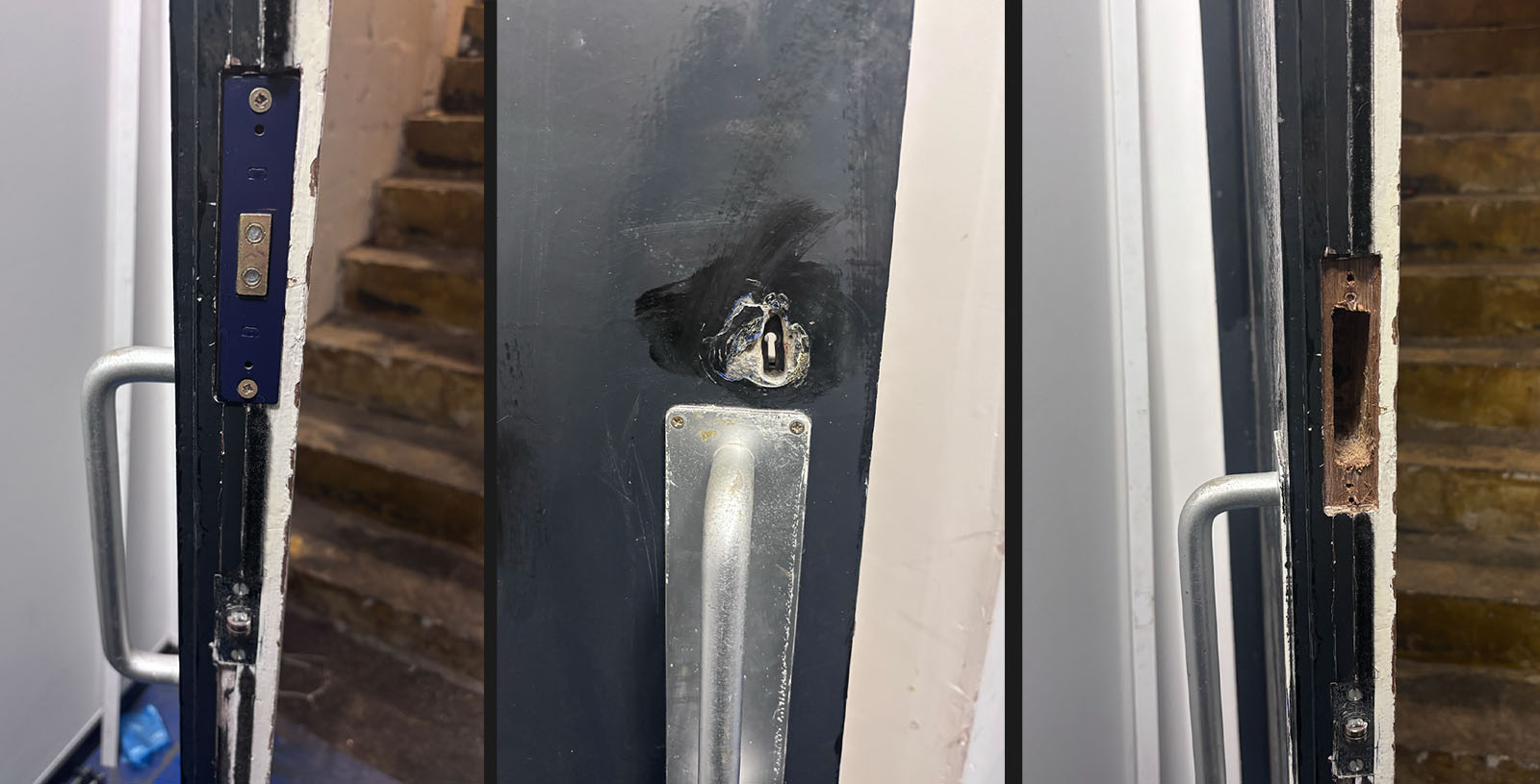
From the start of this project, we were expecting to cut extra holes, add locks with extra handles, and possibly chisel out more of the door or change lock profile sizes, but that was simply not the case. If you already have a Euro lock cylinder on your door then you wont need any to do any door preparation because the WELOCK U81 will simply replace the lock already installed.
The process was ever so simple. We just unscrewed the previous mortise lock from the door, measured the casing, and searched online to find an EU profile lock casing of the same dimensions. We purchased one from our local Screwfix for less than £10, which allowed us to take the lock instore and make sure they were the same dimensions. It was then just a case of swapping the casings and making sure the hole in the door allowed the new lock chamber a snug fit.
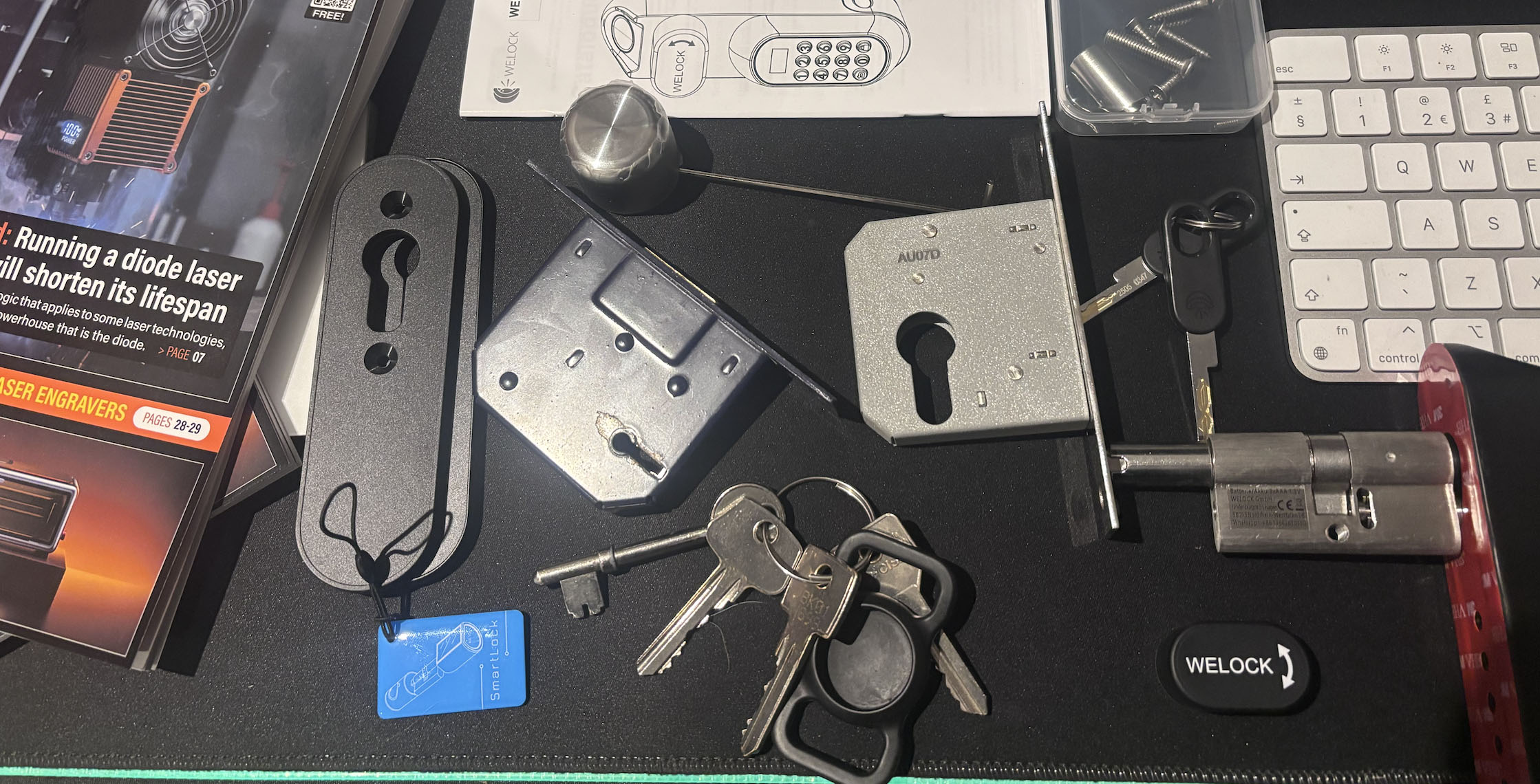
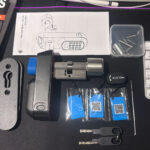
Inside the box were a number of extra accessories to help you get the best fit. For us, however, they were not required. It was just a case of fit and go, with only the two spacer lock plates required at the back of the door for the best fit.
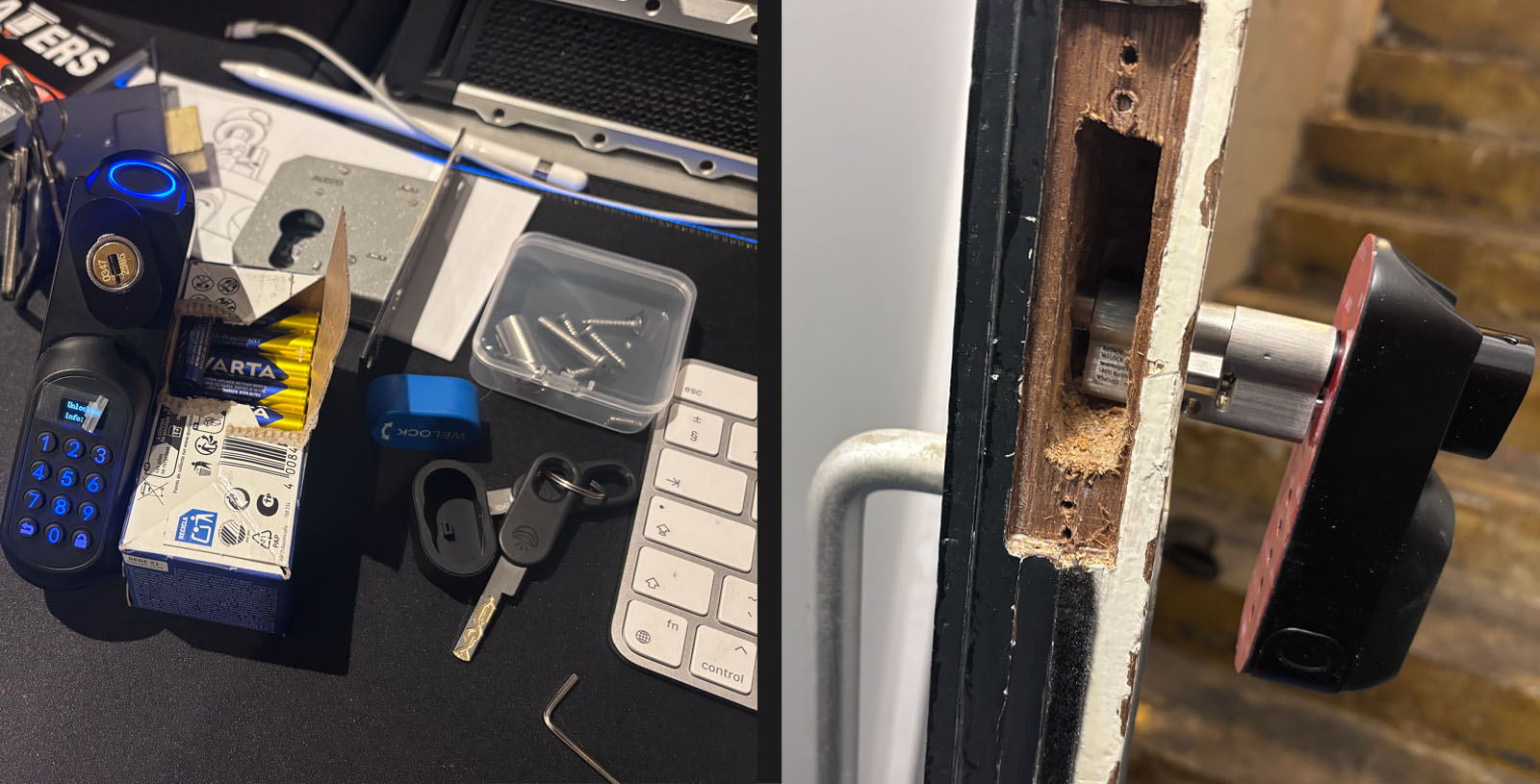
We had to drill a slightly bigger hole in the door to allow the new lock chamber to fit, but everything else was already in the correct position. It was just a case of widening it a few millimetres at a time and checking for a snug fit.
Inside the box were a couple of spacers which came in handy. We didn’t use any on the front-facing side of the door, but we doubled up on the back as there was a couple of millimeter gap between the chamber and the handle. This gave a great finish.
Installation and setup
Once the door was prepared, the rest of the setup was very easy and took less than half an hour. The main lock requires 4 AAA batteries. Alkaline batteries are recommended, or Ultimate Lithium batteries if you are using the door in colder environments.
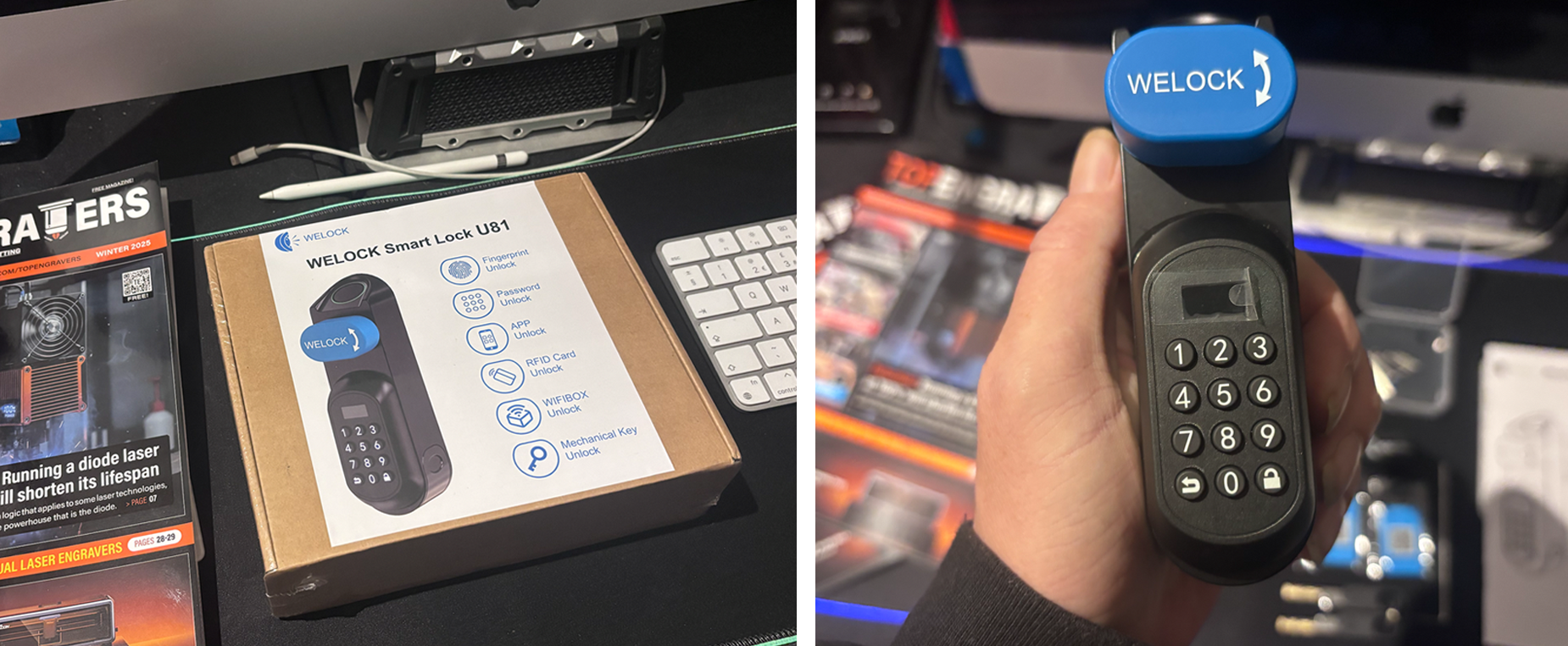
The WELOCK U81 Smart Lock immediately conveys a sense of uncompromising quality. From the moment it was installed, the unit felt exceptionally robust and secure, featuring solid construction that inspires confidence in its durability. The exterior casing is well-finished and built to withstand frequent use, giving the impression of a premium, well-made device rather than a flimsy electronic accessory. This sturdy build quality successfully blends its advanced technology with the physical assurance of traditional, high-security hardware, making it a reliable and long-lasting addition to the studio door.
When you first install the lock, it will work right out of the box with the keypad PIN ‘123456’ or by touching the fingerprint sensor. This is basically a demo mode, which is why it was essential to set up an admin account and change the PIN. This process also stops all fingerprints from being able to open the lock.
The first part of the setup was to set up an admin account and change the PIN code from the default. Once that’s done, all that’s left is to set up all the different ways to gain access to the studio. It’s worth noting this lock will store a maximum of 10 administrators and 190 users, which can be made up of a selection of fingerprints, passwords, or smart cards.
- KEY CODES We set one up for the main admin account, and two user codes for the maintenance guy and the cleaner. With the U81, you are able to set up a maximum of 200 passwords. These can all be different codes, even expiring codes if you need limited access at certain times.
- FINGERPRINTS This is the option we are using the most, and it works great. We are genuinely impressed with how many fingerprints this lock can store. It allows up to 100 fingerprints, which means you can add more than one of your fingers to the lock without worrying about taking up user space. The reader struggles to read our print after being out in the rain; a wet finger was a struggle, and after 5 attempts we were locked out for 3 minutes. We couldn’t even override it with the key fob. As annoying as it was at the time, it’s great to know the security feature works if someone was trying to access our studio without authority.
- FOB CARDS The three fobs included in the box are great and easy to set up. As an engraving business, we had hoped to design our own NFC wooden business cards, but these did not work for us, just like the supply of cheap fobs we purchased from Temu. If you need extra fobs, you will need to buy IC cards; WELOCK sells their own card in packs of three for around £25–£30.
- THE KEYS We nearly gave up on the mechanical key as an entry option because no matter what we did, we couldn’t unlock the door. Putting the key in and turning did not work, as the lock handle just spins. After searching online, we found there is a specific way to stop the lock handle from spinning: Putting the key in the lock vertically at the 12 o’clock position, then twisting the key 90 degrees clockwise allowed us to then twist the handle and lock/unlock the door. This could have been explained in the documents. Instead, we ended up taking the lock apart and checking that we didn’t have a problem with the newly installed lock chamber. In our opinion, the key is not designed for daily use; it’s for backup purposes and peace of mind if the batteries die and all other options are not available.
- APP & Wi-Fi With the app installed on our phone, we were able to unlock the door with the mobile app. It uses the Bluetooth connection so you do need to be in close proximity. With all the other options to gain access, we can see this being the least popular option. But with the app, you can also create codes, set up fingerprints, and set up key cards. Again, you need to be close to the lock, but it’s much better to manage than using the tiny screen on the lock. If you also have the additional Wi-Fi Box 3, you can also unlock the door with a voice command using Google Home or Amazon Alexa. We go into more details about the app further down in this review. Our primary goal was to integrate the WeLock U81 door entry system into our existing Amazon Alexa ecosystem. We currently utilize the Tapo camera system (inside and outside) and their video doorbell at the studio. So, we have the Wi-Fi Box 3 en route and will follow up with a separate review in a couple of weeks’ time.
 The Mobile App
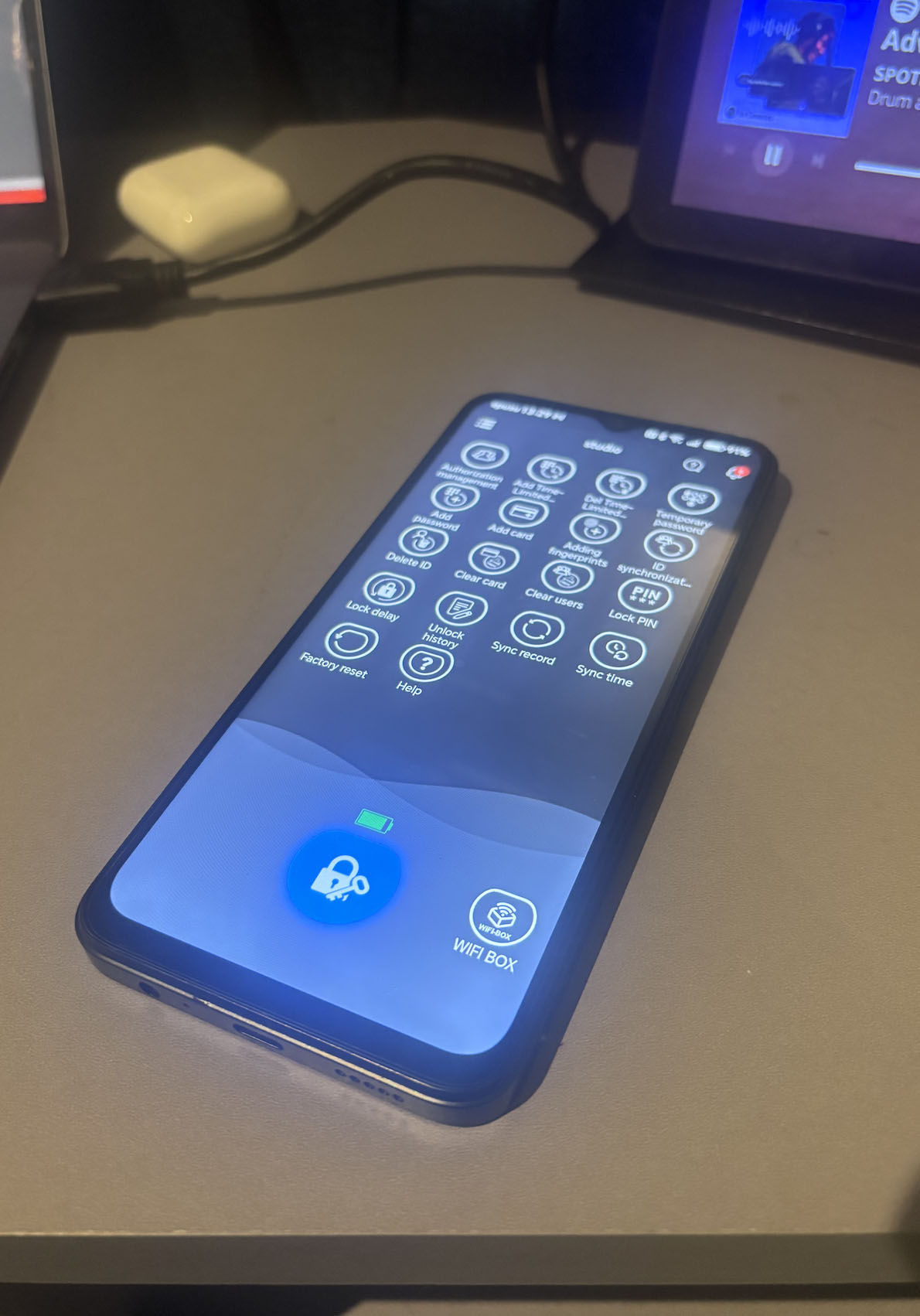
We didn’t have the best experience with the app during the whole setup process. Initial attempts to register an account using an Android mobile and our phone number failed. We managed to create an account but were unable to bind our lock. We needed to confirm verification codes, but they were never received, forcing us to abandon the setup.
We attempted the process again a couple of days later using an iPhone to rule out a phone/network carrier issue, but were met with new obstacles. At first, we were unable to log in using our previously registered phone number as we couldn’t remember the password. The password reset failed because, after completing the CAPTCHA, the system requested a security code that we couldn’t receive. Because the phone number was already ‘registered,’ we were unable to take any further action with that account.
We proceeded by abandoning the phone number registration and successfully creating a new account using our email address. The email registration worked immediately, sending the required verification codes and allowing us to finally set up and bind our lock to the Wi-Fi Box 3.
If you don’t have the WIFIBOX 3, you can still use the mobile app to unlock the door. However, since it connects via Bluetooth, we needed to be stood close to the lock. We also had the option to add new users, fingerprints, and key cards, but again, the phone needed to be close to the lock to set these up.
From the app, you can also set up time- and date-sensitive codes. This is great for us, as we can give codes to our cleaners so they can access the studio on weekends, and also we can give codes to our maintenance guy that allows him access to the studio from 9 am–5 pm during the week.
The app is a great option as a Bluetooth remote if you struggle reading the small display on the lock and want to add users and codes quicker. What we also like is that from the app, you can also view the lock and unlock logs, and see who has been inside the studio and at what time.
One other thing we noticed is that the app keeps logging you out on your mobile device, and you have to log in each time to make any changes. This makes quick access to the door lock harder if you have a long and secure password.
Features we like:
The sheer convenience of the WELOCK U81’s multiple access options is its biggest strength for a studio environment.
- Instant Fingerprint Access: This is, by far, our most-used feature. When arriving with arms full of shopping or equipment, the fingerprint scanner is incredibly fast—less than a second to authenticate. We have registered our main profiles, and it eliminates the need to carry keys entirely. It didn’t like wet fingerprints though, as it failed our attempts and locked us out for 90 seconds. We couldn’t even override this with an RFID fob or PIN code.
- Anti-Peep Keypad: We use the PIN code for guests or maintenance workers. The anti-peep feature, which allows you to enter random numbers before or after the correct code, is fantastic for privacy, especially in a shared building where others might be watching.
- App-Based Management: The WeLock app (connected via Bluetooth) is perfect for managing access. If a client needs one-off access, we can quickly generate a temporary code with an expiry date. The log history also provides excellent peace of mind, allowing us to see exactly when the door was opened and by whom.
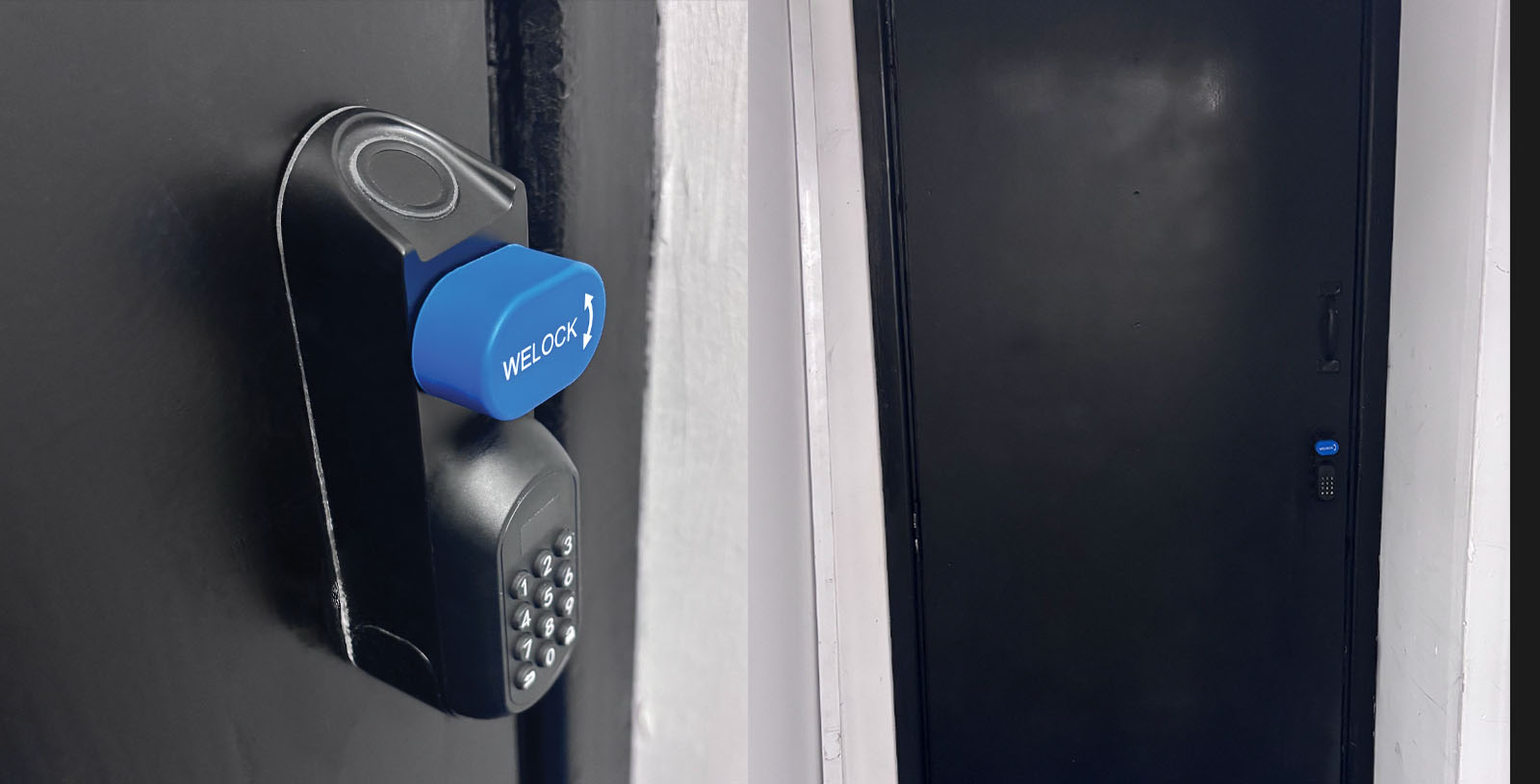
This lock is great, and we can see it being used in many situations—from a busy shared office to a high-end Airbnb or a simple family home. It successfully blends advanced security with a huge jump in convenience, and the peace of mind it provides far outweighs the small initial hiccup we had with the mechanical key usage.
The company boasts that the U81 Smart Lock has a battery life of around 12 months, and this does seem accurate in our experience. You need to wake the lock up before trying to open it, and this feature conserves a lot of the battery life. We have been using it for just over a month now, and are using the lock around 20 times a day.
You may find the battery life drains a tiny bit quicker if you are using the Wi-Fi feature, but it won’t be much. The Wi-Fi box basically acts as a gateway and triggers the Bluetooth. It’s not much different from standing next to the lock and using your phone via Bluetooth.
For anyone looking to upgrade from a traditional Euro-profile cylinder, the WeLock U81 is an excellent, feature-rich choice that doesn’t require complex door modification. We recommend using the fob and fingerprint option together. Having the fob on your keyring allows instant access even if you have wet fingers or are wearing gloves. A solid 8 out of 10 for us.
WELOCK Smart Lock U81 Special Offer:
Ready to ditch your keys? For a limited time only, WELOCK is giving our readers an exclusive opportunity to upgrade their security and convenience. Save Up to €40 Today! Secure your modern U81 Smart Lock for the final price of just €209.
This price includes shipping from their EU warehouse and a 2-Year Warranty for total peace of mind.
Visit: www.welock.com and use code: VD40 at checkout. You can also check out the official Amazon shop at www.amazon.co.uk
Don’t wait—upgrade your studio security now!

Related Posts