






Groans and creaks from your Engraver? A mechanical mystery solved
The rhythmic hum of a diode laser engraver is often a sign of progress, but when that familiar sound is interrupted by groaning, creaking, or strange grinding noises, it can send a shudder down any hobbyist’s or professional’s spine.
These mechanical murmurs, particularly noticeable during intricate curves or sudden direction changes, are usually the result of a few common, and thankfully fixable, issues. Understanding the source of the noise is the first step toward maintaining a silent, efficient, and long-lasting machine.
The true source of the noise
Contrary to popular belief, the laser module itself is rarely the source of the mechanical groan. The culprits typically reside in the motion system of the engraver.
Stepper motor sounds: The most frequent source of a persistent, tonal humming or occasional groan is the stepper motor and its driver. Stepper motors move the laser head along the X and Y axes with precise, incremental steps. When moving in circles or complex shapes, the motor’s coils are rapidly energised and de-energised, creating an audible noise.
- Groaning on curves: When the laser head executes a curve, the motors are constantly adjusting their speed and direction. This rapid modulation can cause the characteristic groan, which is a byproduct of the motor drivers translating the digital movement commands into physical steps. Older or budget stepper drivers often lack the advanced smoothing technology of newer, quieter models, making this noise more pronounced. In most cases, this is normal operational noise.
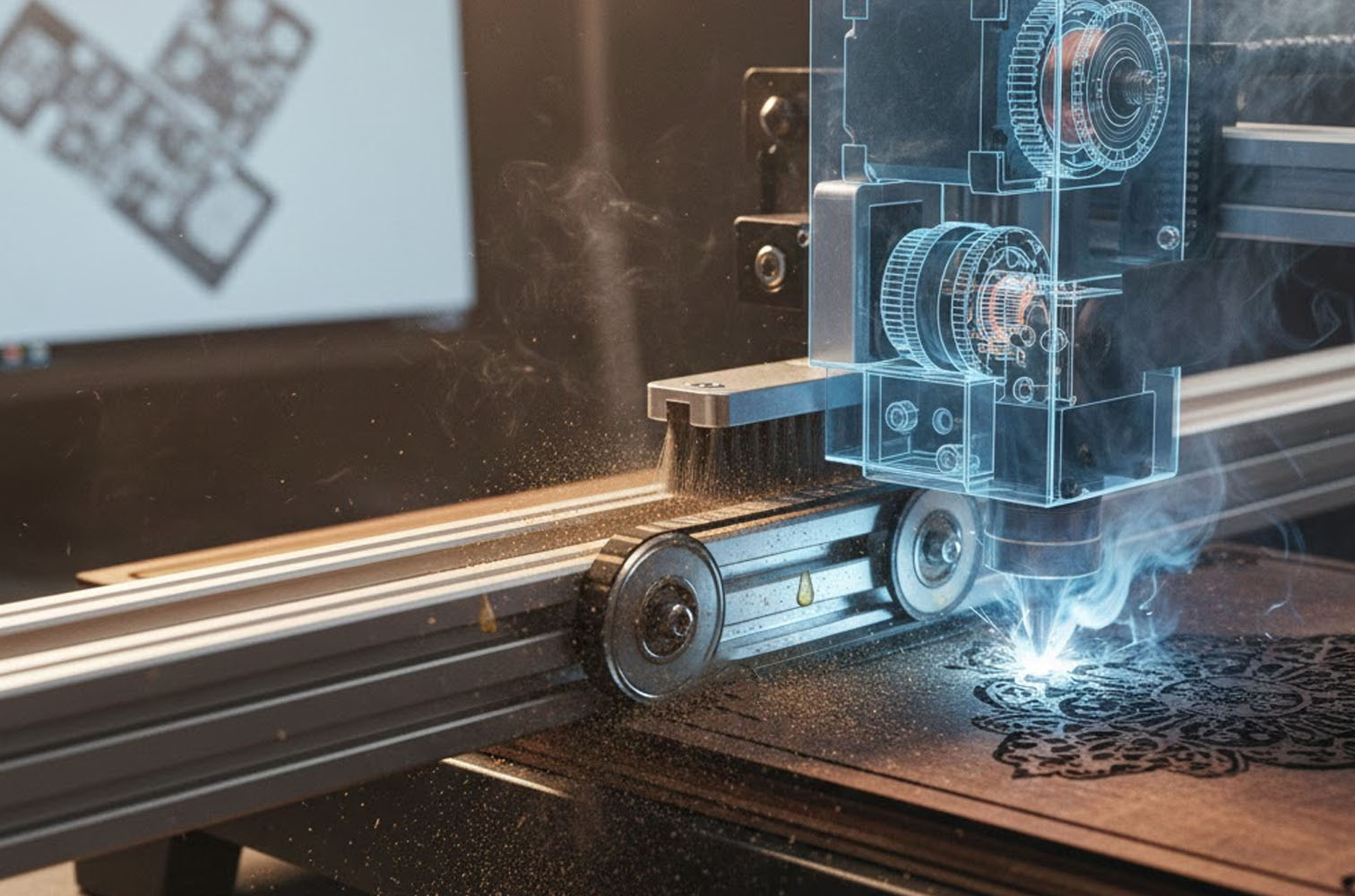
Friction and binding in the gantry: The more concerning, and louder, noises like creaks and grinding are often a signal of excessive friction or binding in the gantry system (the frame that moves the laser head).
- Misaligned rails or wheels: Laser engravers use linear rails or V-slot wheels to guide the laser head.1 If the eccentric nuts that hold the wheels are too tight or the frame is not perfectly square, the wheels can bind against the aluminium profiles. This binding creates a noticeable creak or grind as the motor strains to move the head.
- Lack of lubrication: Dry linear guides or rails will rub against their bearings, generating a screech or harsh grinding sound.2 This accelerates wear and tear significantly.
The dust factor: The silent saboteur
The single biggest enemy of a quiet and precise diode laser engraver is dust and debris. The engraving process, especially when cutting wood or acrylic, produces vast amounts of fine particulate matter, soot, and smoke residue.
- Rail and bearing contamination: This fine dust settles directly onto the X and Y axis rails, wheels, and belts.4 When the moving components roll over this accumulated grime, it acts like an abrasive, leading to jerky motion, lost steps (inaccurate engraving), and the dreaded grinding noise.
- Belt and pulley slips: Dust can also build up on the timing belts and pulleys, causing them to slip or skip steps, which can manifest as a snapping or clicking noise, leading to misaligned engravings.
Keeping the silence: maintenance for a smooth run
Maintaining your engraver is simple and is the most effective way to eliminate mechanical noise and ensure high-quality results.
- Motion system (rails & wheels) Wipe rails with a clean, lint-free cloth, sometimes with isopropyl alcohol for stubborn grime. Apply a light film of machine oil or a dry lubricant to the rails and guide rods (following your manufacturer’s instructions). Bi-weekly or after heavy use
- Optics (lens & air assist nozzle) Clean the lens and protective glass with an optical-grade cotton swab and pure isopropyl alcohol (99%) to prevent smoke and dust from reducing beam power and creating fire hazards. Weekly
- Belts and pulleys Check the tension of the X and Y axis belts—they should be taut but not overly tight. Inspect the pulleys for debris and clear them. Monthly
- Overall workspace Use an effective exhaust system and/or enclosure to minimise smoke and particulate matter in the first place. Use a small vacuum to clear the work area and gantry of any visible dust after every job. After Every Use
Addressing creaking and groaning is often as simple as a thorough cleaning and lubrication. For persistent mechanical noise, adjusting the tension of the eccentric nuts on the gantry wheels may be necessary, ensuring they allow movement that is firm but not restrictive.

Related Posts